

Gear & the Forge
Bag and Storage
Bag tabs, stacks, selling and trashing in bulk, locks, bound items, and the storage you share between heroes.
Your bag holds everything you carry. Storage keeps the rest safe, and every hero on your account opens the same one. This page shows how to keep both tidy, sell what you do not need, and never lose what you do.
The four bag tabs
| Tab | What it holds |
|---|---|
| EQUIP | Weapons, armour and accessories |
| USE | Potions, scrolls, stones and other things you use |
| ETC | Materials, tokens, keys and quest items |
| CASH | Looks and other pieces from the Cash Shop |
Each tab has 48 slots. A gold dot on a tab means something new arrived there.
What a slot tells you
- The number at the top-left is the level a piece needs. It is red while you are too low.
- A green arrow means the piece is stronger than what you wear.
- ★N is the number of forge stars on it.
- A number shows how many are in the stack.
- A pink corner marks something from the Cash Shop.
- A dimmed slot is not for you yet.
Hold a piece to lift it, then drop it on another slot to move it. Let go where you picked it up and its card opens, just like a tap. SORT tidies the open tab. FILTER changes what you see: all items, what you can use now, or just upgrades. It never moves anything.
Stacks
Potions, materials and most other items stack up to 999 in one slot. Equipment never stacks, so each piece takes its own slot. Tap a stack for its card and pick how many to sell, drop or trash.
Bigger bags
A  Satchel Expansion Coupon adds eight slots to every tab of your bag. Use it from your bag. You can add up to six, for 96 slots per tab. If a locked slot shows at the end of your grid, tapping it tells you a coupon opens more room. The Cash Shop sells the coupon for Starshards: see
 The Cash Shop.
Selling
You can sell to a shop's merchant, or straight from your bag anywhere. Open an item and press SELL. The card shows what it pays.
- Gear of level 90 and up, and materials from creatures of level 90 and up, sell for less than before: a little less at 90, about half at 140 and above. A higher level piece still pays more than a lower one.
- Gear pays more at higher tiers and with more stars. A shattered piece sells as a plain zero star piece.
- Selling is final. You cannot buy it back from the merchant.
- Cash Shop pieces, quest items and bound boss tokens never sell for lumens.
- A bound piece of gear still sells. It still cannot be traded.
Sell Many
Press SELL MANY, then tap stacks in the tab. Each tap picks or unpicks a whole stack. Anything that would pay nothing is dimmed, and locked items cannot be picked.
- On a phone, the picks sit on a rail at the side of the bag. The rail shows the total.
- On a computer, the buttons sit along the bottom of the bag, and the total shows beside SELL. Use the ✕ to leave.
Both show the same keys:
- ALL picks everything sellable except starred gear and ETC items something still uses. It turns into NONE once everything is picked.
- NOT MY CLASS picks gear your hero can never wear. It leaves a piece alone if a path ahead of you could still use it. On a computer it shows on the equipment tab only.
- SELL sells the picks. If any pick is Epic or better, or starred, or still used, the game asks first.
Trash Many
TRASH MANY works the same way, but destroys the items. It always asks first and cannot be undone. A Cash Shop piece cannot be trashed. On a computer it sits beside SELL MANY and shows the count instead of a price. Trash is safest for an ETC item whose card says "Trash: nothing uses this."
Lock, drop and trash
- LOCK a piece of gear to protect it. A locked piece is never sold, trashed, traded or used up in a Forge restore. You can still wear, store and forge it.
- DROP puts an item on the ground. Quest, bound and locked items cannot be dropped.
- TRASH destroys one item or stack.
Bound items
Some items are bound to you. The card says "Bound to you" or "Bound on pickup". A bound item cannot be traded or listed on the market. Quest rewards, gifts and many boss tokens are bound. Pieces bought in the Cash Shop have their own line on the card. See Trading and the Market.
Storage
Visit a storage keeper to open it. They are 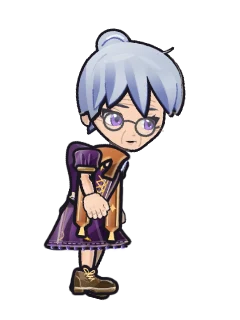 Granny Hazel,
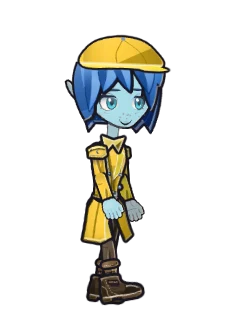 Bea,
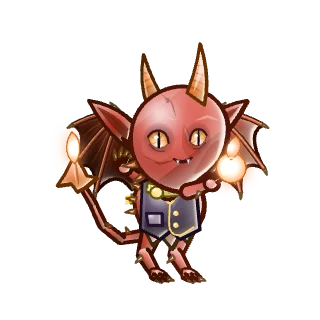 Sootie,
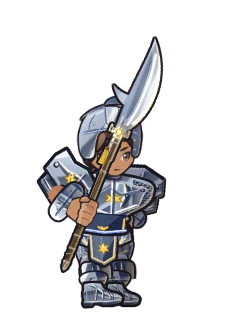 Warden Brisk,
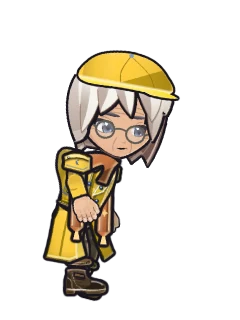 Old Mott and
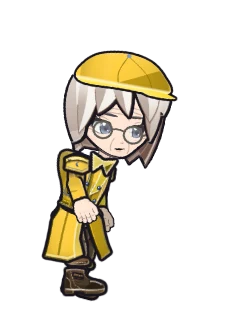 Dell. Every keeper opens the same Shared Storage.
- It starts with 32 slots that take any kind of item. Depositing is free.
- Taking an item out costs 10 lumens. A purse beside the grid holds lumens as well.
- Quest items stay with you, but quest gear may be stored.
- A
 Storage Expansion Coupon adds eight slots, up to 64 more.
- A bound item you store stays yours. Only the hero who put it in can take it back out. Tradeable items and Cash Shop items can be taken by any hero on your account.
If your bag is full when a reward arrives, the item waits for you in storage or in your mailbox. See The Mailbox.
Tips
Read next
 EquipmentWhat you can wear, who can wear it, how rarity and sets work, and where better gear comes from.The ForgeRaise your gear with stars, learn what shatter means, and keep a piece safe.Trading and the MarketSwap items face to face, or list them on the Market and let the proceeds wait for you.The Cash ShopWhat the Shop sells, what it never sells, and how to get the most out of the free parts.The MailboxWhere gifts, event rewards, guild invites and letters from other heroes arrive, and how to claim them.
